Beginner Friendly
Start from zero — no coding or electronics experience needed
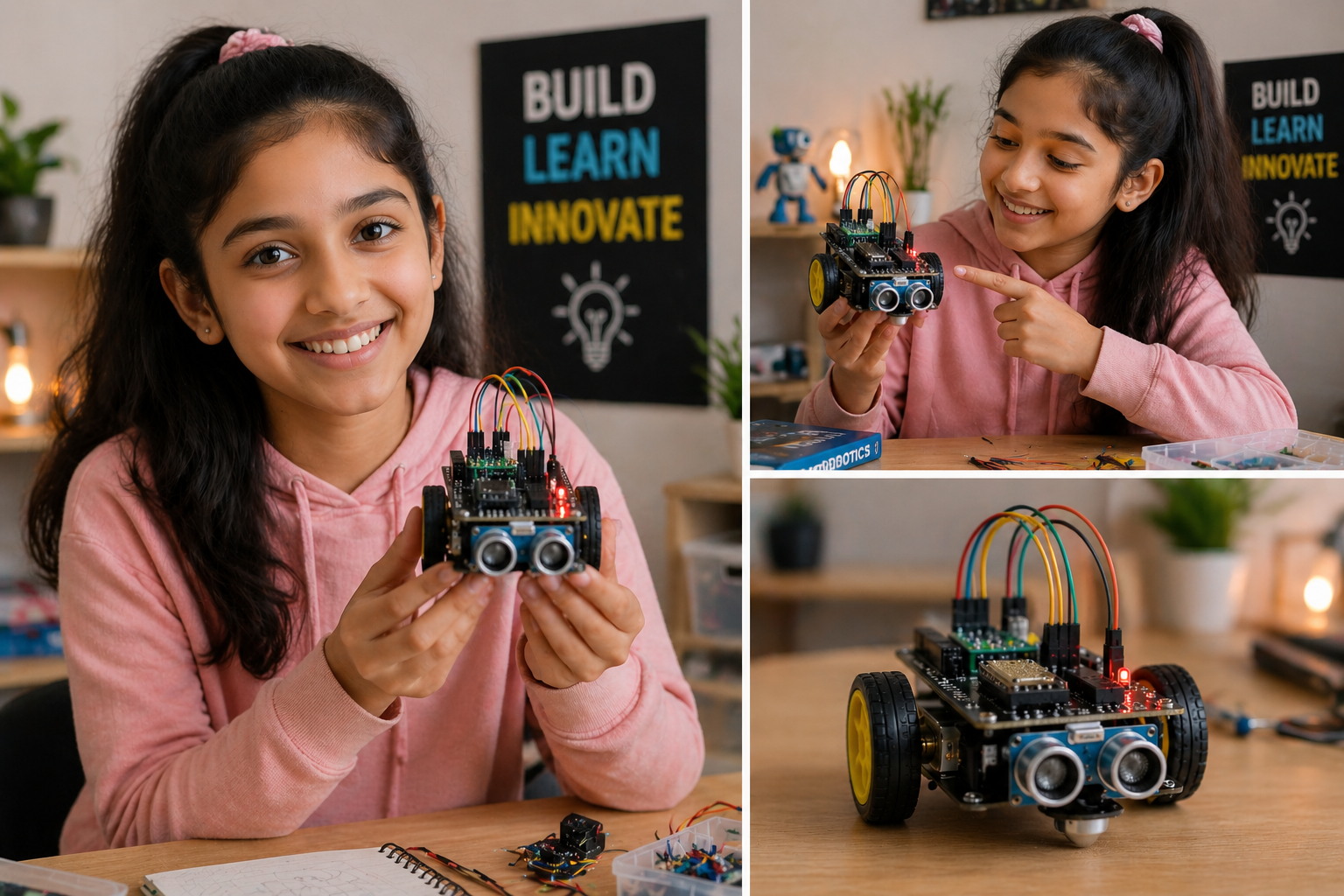
Includes a complete hardware kit and guided app, with step-by-step learning designed for absolute beginners.
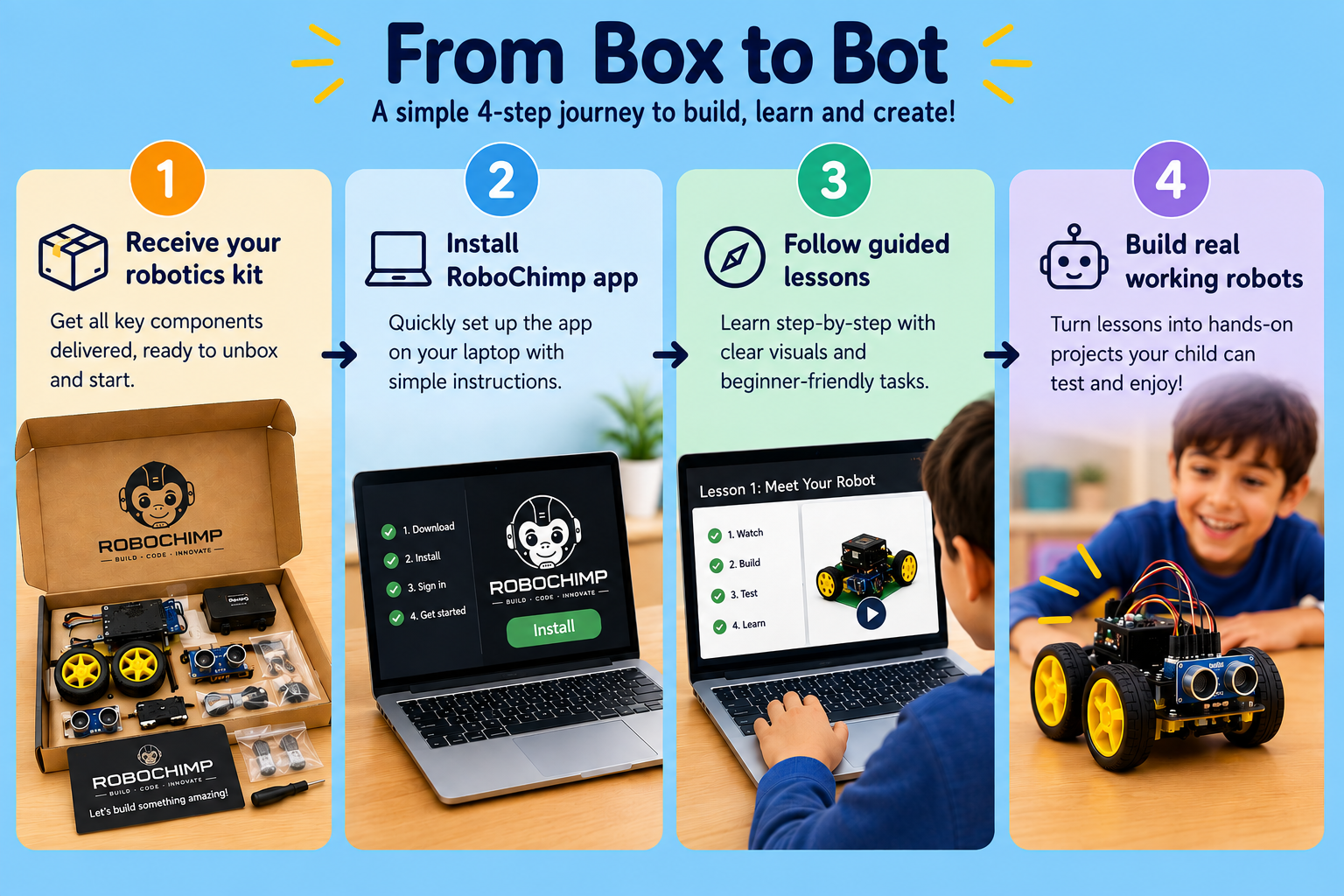
A simple 4-step process that makes robotics easy for parents and kids.
A quick look at real student building moments and the guided app experience.
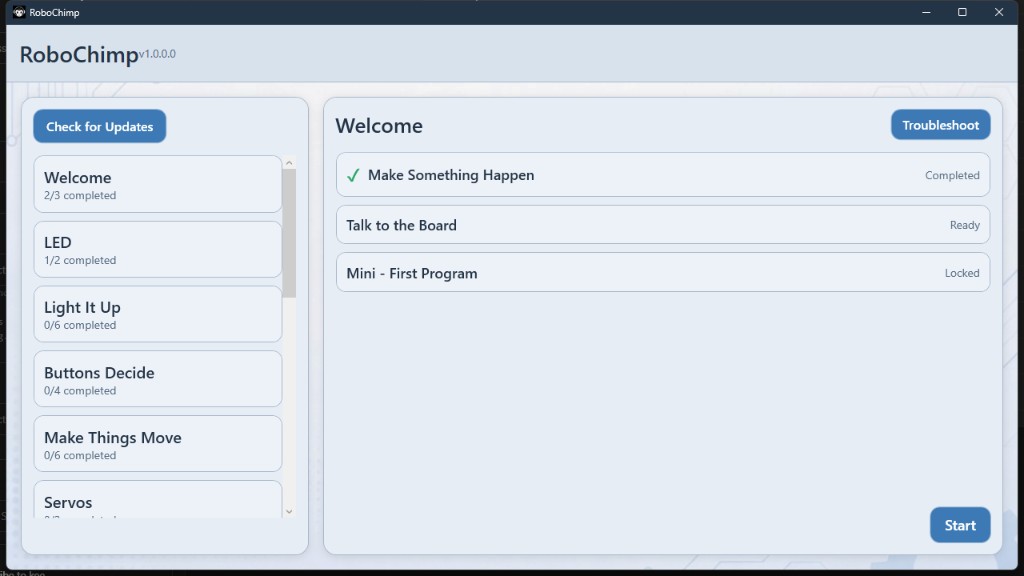
Everything you need to start your robotics journey — in one place
Start from zero — no coding or electronics experience needed
Learn anytime at your own speed
Step-by-step instructions through a dedicated Windows app
We build robots that look as impressive as they perform, unlike the crude, bare-bones designs commonly found elsewhere.
Microcontroller board, sensors, wires — everything you need in one box
Learn transferable skills across microcontrollers — not locked to one proprietary chip
Understand real electronics and IoT fundamentals
Build real projects step-by-step, not just theory
Pay once and get lifetime access
Start simple. Grow step-by-step.
Start here — perfect for beginners
Coming next — more advanced sensors and automation
Future level — robotics and IoT projects
Each project comes with wiring guidance, sample code, and a small demo you can show.
Learn GPIO basics by controlling an LED with simple button and timer logic.
Build a timed sequence with LEDs to simulate real traffic-light behavior.
Detect a vehicle with a sensor, then open a servo barrier and switch from red to green.
Detect a flame with a sensor, then run a fan automatically to help extinguish it.
Use an ultrasonic sensor to measure distance and alert when an object gets too close.
Unlock a mini safe with a remote control and use red/green LEDs to show locked or open status.
by RoboChimp Labs
Start from zero and build real robotics projects step-by-step — with a guided Windows app
Start from zero and build real robotics projects step-by-step
Follow clear, step-by-step instructions for every project.
Validate wiring and behavior with simple demo screens.
Keep project files and checklists organized (beginner-friendly).
Learn core concepts that work across boards — no dependency on one proprietary chipset.
Microcontroller board, sensors, breadboard, and wires — everything to start.
Build LED control, traffic light, toll gate, parking sensor, safety locker and more.
Download the app and begin your journey
Hardware kit required for full experience
Cheaper than a coding class
Learn by building, not watching
Quick answers for parents and beginners.
No. It starts from basics and guides you step-by-step.
It is designed for kids age 10+ and beginners.
Yes, a basic Windows laptop is enough to use the app.
Don’t worry, troubleshooting guidance is included in the lessons.
Yes. If you get stuck at any step, email us at help@robochimp.in.
Credibility + purpose — in a few lines.
Built by an engineer with 15+ years of experience in software and automation, this platform is designed to make robotics simple, practical, and beginner-friendly.
This is not just a course — it’s something I wish I had when I started.